Project Overview :
● JSON stands for JavaScript Object Notation, it is a lightweight data-interchange format and used to send data between computers.
● Here we get the input from user and save it as json file.
Requirements :
● Python
● VS code
● Library – json
Code :
import json
n=int(input("Enter a number of elements in the dict: "))
my_dict = {}
for i in range (n):
    State=input("Enter State :")
    Capital=input("Enter Capital :")
    my_dict.update({State: Capital})
print(my_dict)
json_object = json.dumps(my_dict, indent=4)
with open("Fil.json", "w") as outfile:
    outfile.write(json_object)
Code Explanation :
● import json
● import json library
● n=int(input("Enter a number of elements in the dict: "))
● Get the total number of input from the user.
● Create the dictionary and save the data inside my_dict = {}
● my_dict = {}
● Get the input from the user and print as dictionary format.
● for i in range (n):
● State=input("Enter State :")
● Capital=input("Enter Capital :")
● my_dict.update({State: Capital})
● print(my_dict)
● json. dumps() method takes the json object and returns a JSON formatted string. The indent parameter is used to define the indent level for the formatted string. Create a json file, starts writing the data and save it.
● json_object = json.dumps(my_dict, indent=4)
● with open("My_File.json", "w") as outfile:
● outfile.write(json_object)
● Run the code.
Output :
● After running the code, get the input from the user.

● Input from the user and save all the data into dictionary format
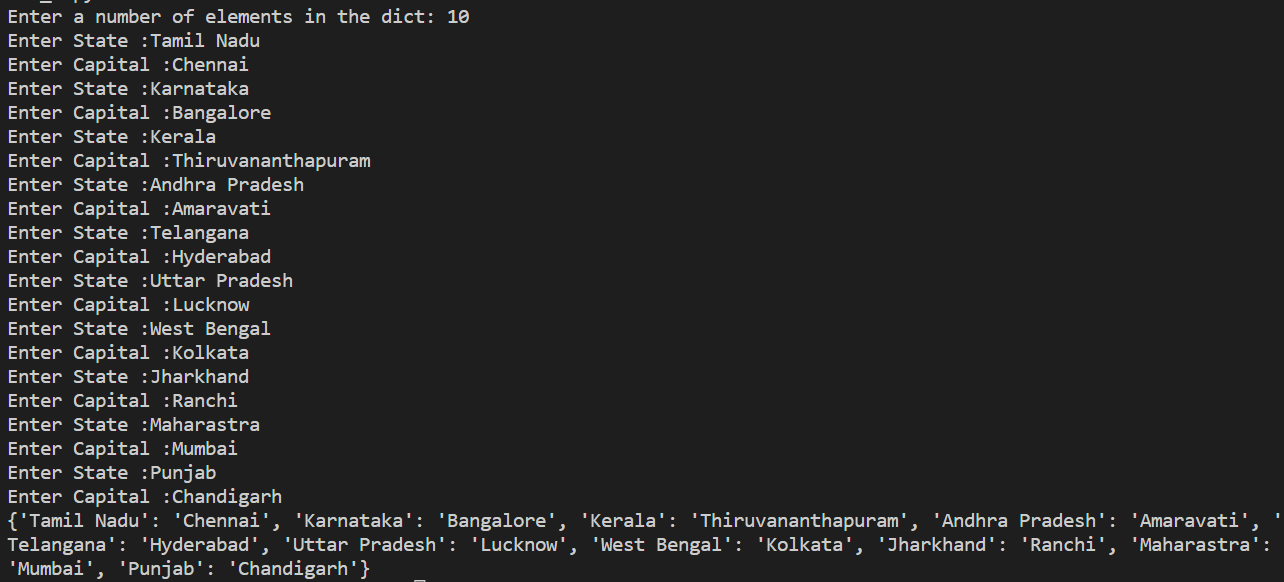
● Also JSON file was generated in the same folder.👉🏻 Click For JSON File !!!